
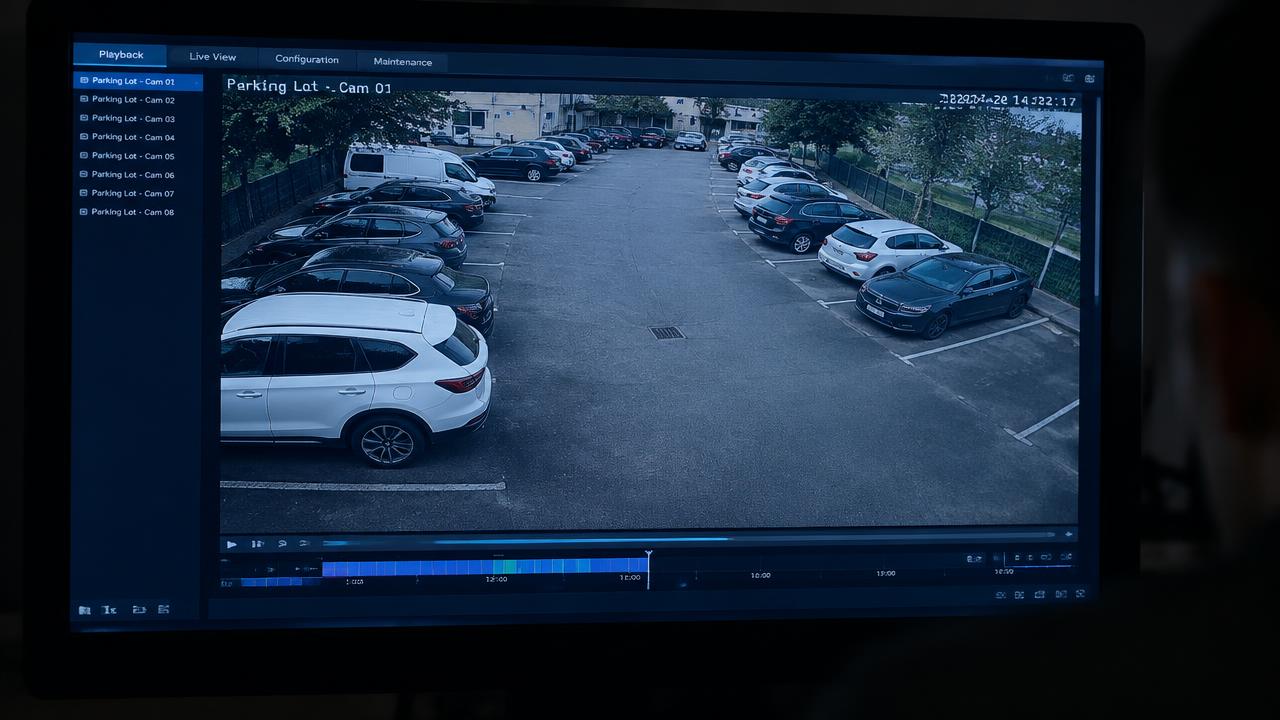
A clear live CCTV picture is only part of a useful system. For a Manchester shop, office or workshop, the handover should also show an authorised person how to find a past event and save the relevant recording. Practising that process calmly can expose problems before an urgent request arrives.
Choose a short, agreed test event at your own premises, involving staff who understand the exercise. Note the camera, date and approximate time. Then ask the intended user to find it in playback without relying on the installer to do every step. Keep the exercise proportionate and avoid collecting unnecessary footage of customers or passers-by.
Check the time shown on the recording against the event notes. Tell your installer about any difference and ask how the recorder handles time settings and seasonal clock changes. A clear record of the discrepancy is more useful than guessing which clip contains the event. Do not change settings during a real incident without understanding the effect on the records.
Next, practise saving a short clip through the method agreed for your system. Hikvision documents playback capture and recording functions in Hik-Connect, while other export options depend on the recorder and software. Ask for a demonstration using your actual equipment, account permissions and phone or computer; one online tutorial may not match every installation.
Open the saved file on the device that an authorised recipient would use. Check that it contains the intended camera and time range and can be played without unexpected missing software. Where a specific player is needed, keep clear instructions. Store exports securely and follow your organisation's process for deciding who may receive them.
Review recording retention separately from the export exercise. The ICO says surveillance retention should follow its purpose and need, rather than simply the size of the recorder's storage. There is no universal minimum or maximum period under the UK GDPR and Data Protection Act 2018 for all surveillance footage. Agree and document a suitable policy for your premises and seek advice where needed.
Keep a brief handover sheet showing the authorised contact, the playback method, the export steps and the support number. Store passwords securely outside that general sheet. Repeat the practical check after a recorder replacement, software change or staff handover.
Spicy Protect installs and upgrades Hikvision CCTV across Manchester and the North West. To discuss playback, recording or an existing CCTV system, email hello@spicyprotect.com or call 0161 339 7072.